Outbound OS

The platform

One customer record. Every conversation and next action.

Outbound OS connects the places customers contact you with the CRM work that follows: qualification, ownership, replies, campaigns, pipeline and reporting.

End to end

The conversation becomes accountable work.

Automation advances repeatable steps. A person remains responsible for qualification, commercial promises and when a customer relationship should move or close.

  1. CaptureSystem

    Bring in the enquiry where it already arrives.

    WhatsApp, email, IndiaMART, CSV and supported webhooks feed the working lead record. The original channel remains the customer’s account and keeps its own provider rules.

  2. UnifyShared record

    Keep channel history with the same customer.

    The team works the customer record with message history, source, status and activity in view instead of reconciling a shared phone, an inbox and a spreadsheet.

  3. QualifyShared

    Use scoring to order attention, then assign an owner.

    Recency and engagement help surface the next record to inspect. The score does not verify intent or fit; a person qualifies the enquiry and owns the next action.

  4. ReplyHuman approval

    Draft with context. Check the promise.

    Templates and AI-assisted suggestions can start from the current thread. Price, scope, product fit, timing and terms come from the business, and a person reviews what is sent.

  5. Follow upSystem

    Run the approved sequence until the customer answers.

    Campaigns work through connected sender accounts inside configured business hours and limits. A reply removes the lead from the sequence so the live thread takes priority.

  6. TrackShared record

    Review the status with the conversation behind it.

    Pipeline, activity and reporting stay tied to the lead. Managers can inspect why a deal is stalled without asking someone to reconstruct the customer history first.
The approval line

Repeatable work for the system. Judgement for the team.

Handled by Outbound OS

Operating consistency

  • Capturing records from connected sources.
  • Ordering the queue and retaining channel history.
  • Preparing suggestions from stored context.
  • Running approved campaigns inside configured limits.
  • Stopping a sequence when the customer replies.

Owned by the business

Commercial responsibility

  • Deciding whether the enquiry is worth pursuing.
  • Approving price, scope, terms and timing.
  • Choosing who may use each sender account.
  • Following consent and channel policy.
  • Deciding when a deal should move or close.
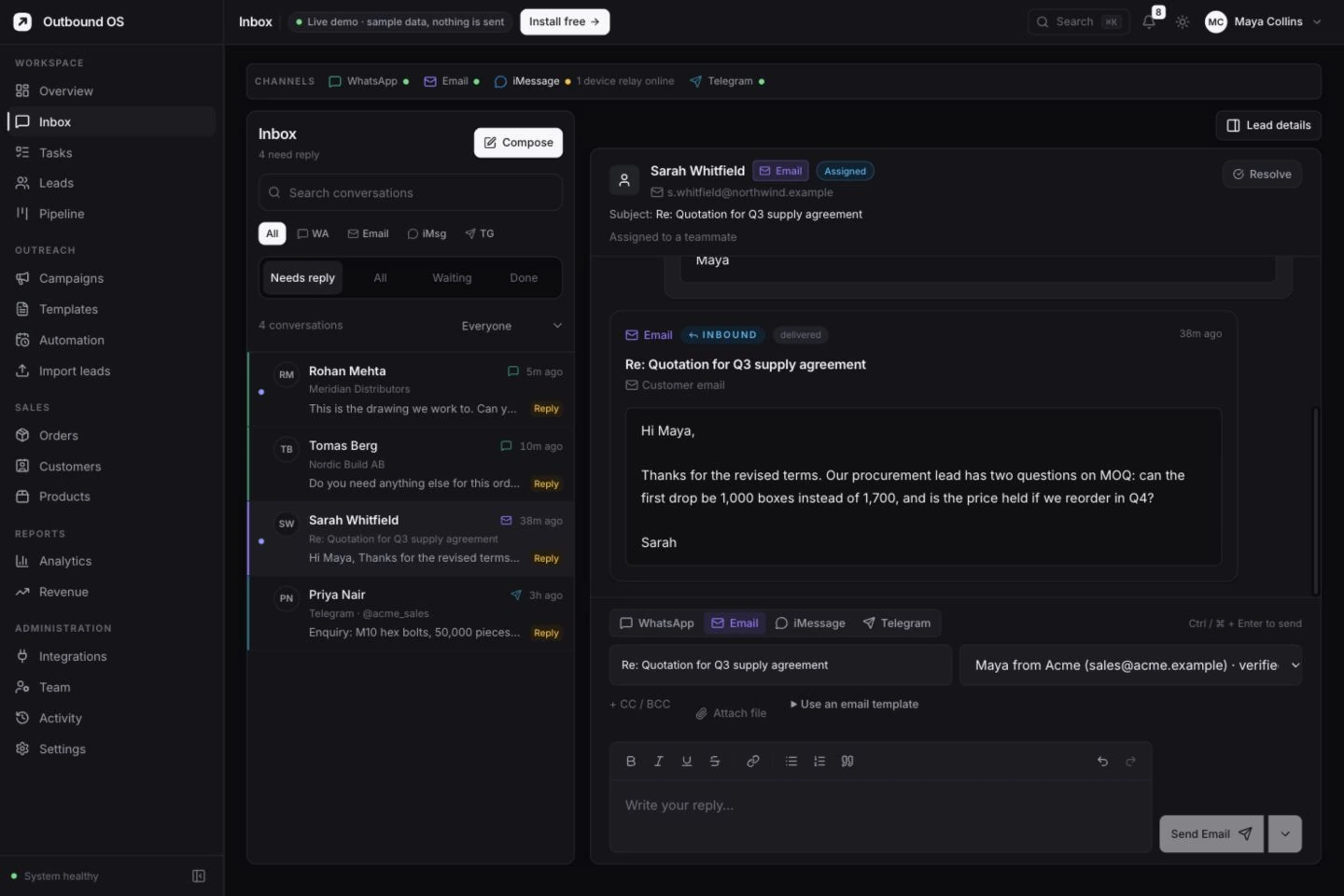
Customer record, conversation and pipeline — screenshot to follow

One record, different responsibilities

The rep works the next action. The manager sees the gap.

For the person handling the customer

See the assigned queue, the complete thread, current status, reply suggestion and follow-up that needs attention.

For the manager

Review work across the team, open the conversation behind a status and step into a stalled record with the same context the owner sees.

AI clients

The platform is available through MCP as well as the dashboard.

An approved MCP-capable client can work with the same leads, messages, campaigns, analytics and system controls.

Explore MCP access

Ask against current CRM data

Inspect lead status and activity without copying the workspace into a separate prompt.

Prepare work in draft

Request reply suggestions or create draft campaigns for a person to review.

Control real actions carefully

Some tools can send, start campaigns or delete records. Credentials and client approval settings are part of the operating design.

Channels and access

The account still makes the rules.

WhatsApp stays on the official business route

Meta template, consent and messaging rules continue to apply through the customer’s WhatsApp Business setup.

Email stays in customer-owned mailboxes

Connected SMTP and IMAP accounts preserve the business identity customers already know.

Roles and lead pools limit visibility

Admin, manager, agent and viewer roles separate responsibility, while lead pools segment which records team members can see.

Put your own customer flow through the platform.

Bring an enquiry, a sent quote and the follow-up that currently lives in someone’s head.

Book a demo