WhatsApp CRM · official Cloud API
Your WhatsApp CRM. The whole customer story.
Connect your WhatsApp Business number directly to Meta. Work from a shared inbox with customer context, follow-ups and a focused mobile workspace for the conversations that need you.
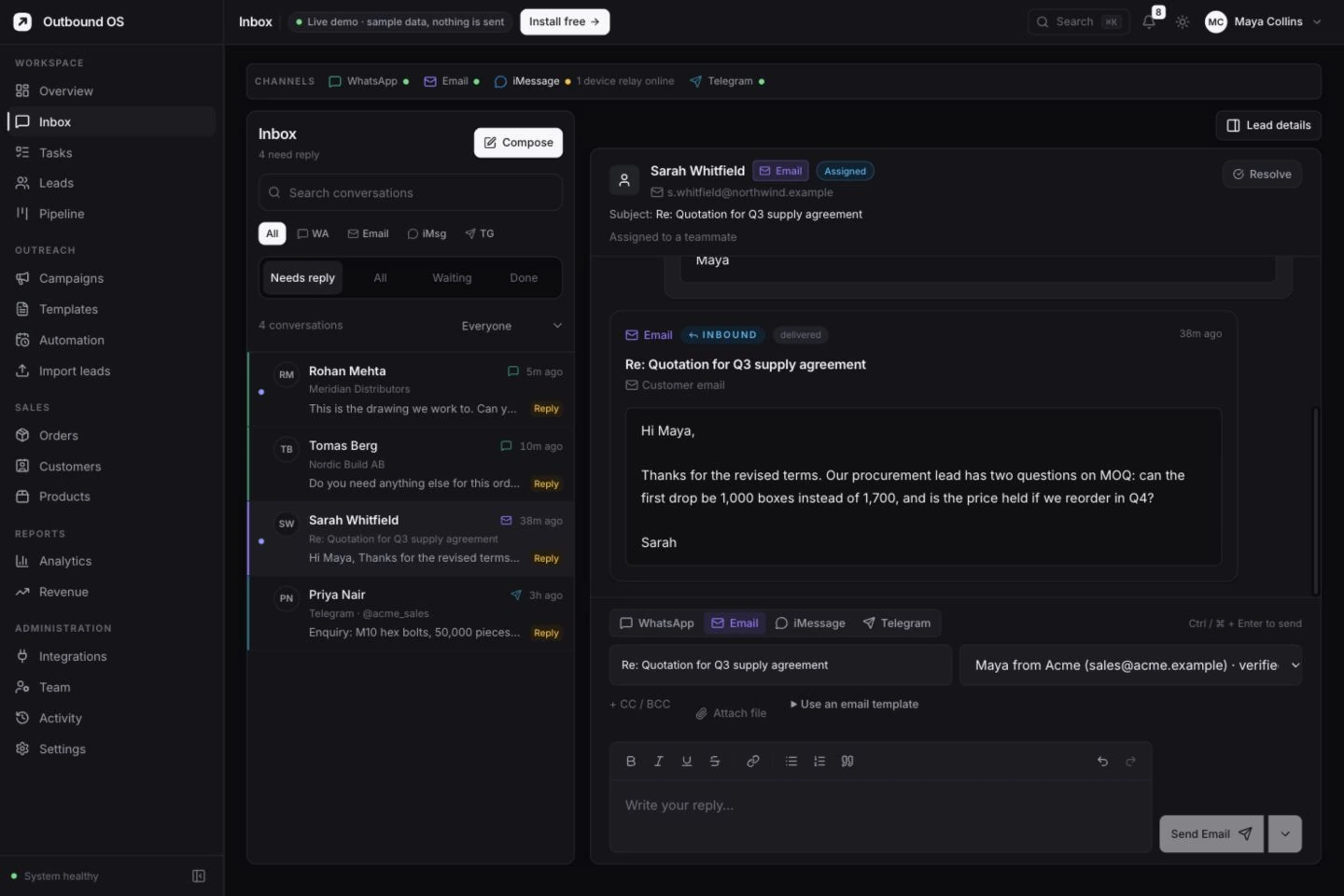
Your number. Your Meta business account.
Shared history. Separate teammate logins.
Open source. Self-host without a seat fee.
What it does
Everything between “new enquiry” and “they replied”.
Handle incoming enquiries, configure follow-up sequences and keep the next action on the customer record. Start with the parts your team needs.
First contact, with your rules
Configured live sources can queue an approved first-contact template, using the lead’s name and country. Limits, eligibility and account settings still apply.
Follow-ups that stop on reply
Sequences are timed for the lead’s morning in their own country and stop when they reply, opt out or close.
A shared inbox with owners
Everyone works the same number from their own login. Each lead has one owner, a status, notes and tasks.
Campaigns that respect the rules
Send to any slice of your leads by tag, status, country or score, using approved templates for anyone outside the 24-hour window.
Photos, PDFs and voice notes
Buyers’ drawings, purchase orders and voice notes are saved on your server and open in the inbox. Send your price list or catalogue back from the same place.
Read receipts and reply rates
See provider acceptance separately from delivery and read receipts. Failed and uncertain manual attempts remain visible, with the reason when available.
Email, Telegram and iMessage too
When a buyer prefers another channel, the conversation stays on the same lead.
WhatsApp’s rules
Built around how the WhatsApp Business Platform actually works.
A WhatsApp CRM that ignores these rules gets numbers restricted. Outbound OS is designed around them.
| Situation | What WhatsApp allows | What Outbound OS does |
|---|---|---|
| First message to a new lead | Only an approved template | Uses your approved template when first contact is configured |
| Lead replied in the last 24 hours | Free-text messages, no template needed | Lets your team reply freely from the inbox |
| More than 24 hours since their last message | Templates only | Uses a template for follow-ups and campaigns |
| Lead says stop | You must stop messaging them | Cancels everything queued and pauses the lead |
| New number | Low limits that grow with quality | Hourly and daily caps per number, plus a warm-up ramp |
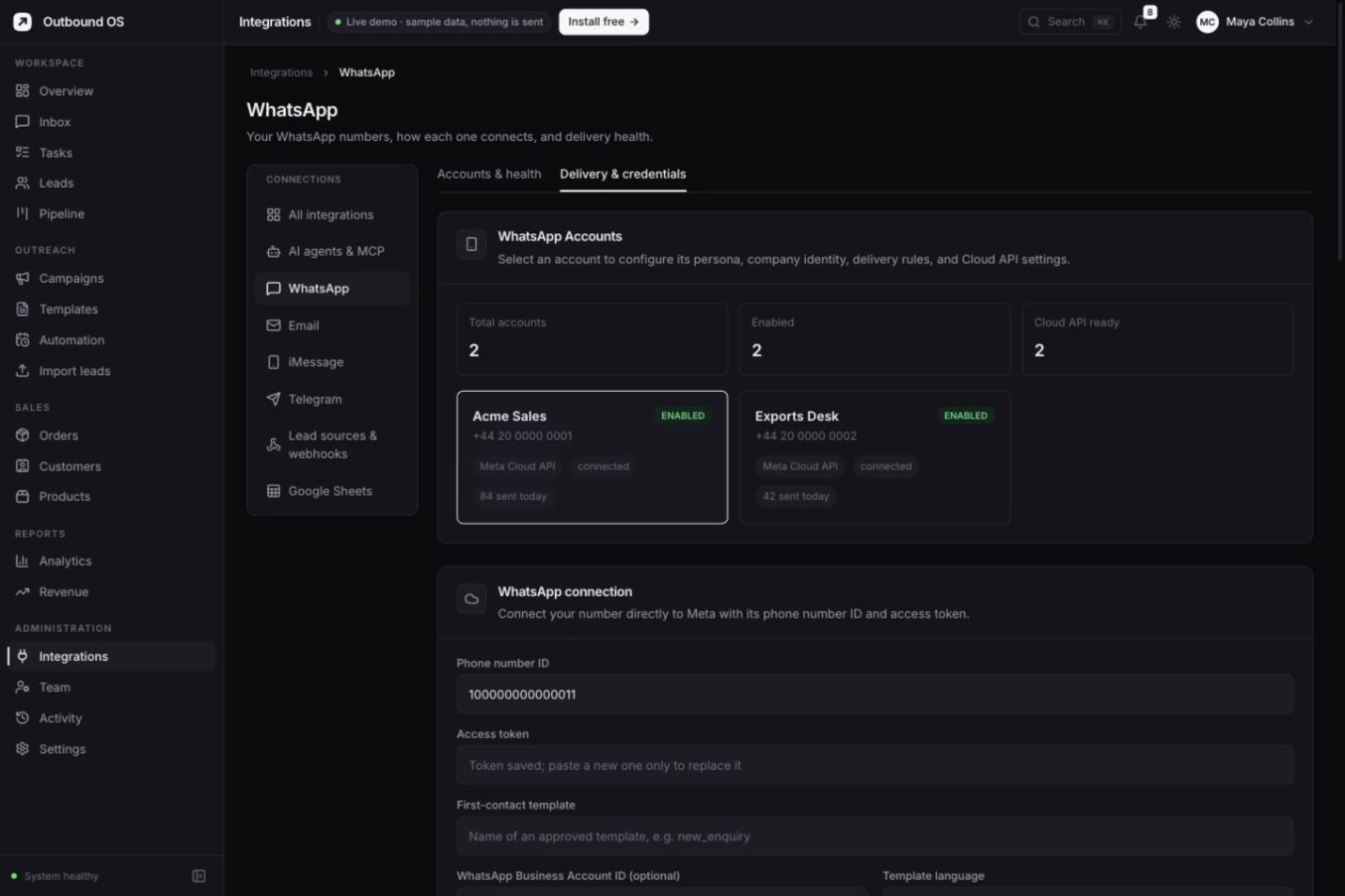
Your own business account
Connect directly to Meta.
Configure your phone number ID, access token and signed webhook, then verify the connection. Your number and approved templates stay in your own Meta business account. Meta account requirements and messaging charges still apply.
WhatsApp Cloud API integrationCost
What a free WhatsApp CRM actually costs.
The software: nothing
Free under AGPL-3.0, for any number of users, leads and numbers. No paid tier hides features.
WhatsApp messages: Meta’s rates
Meta bills messages to your own WhatsApp Business account, by category and the recipient’s country and applicable service-window rules. Check Meta’s current rate card before budgeting.
A small server
Use a persistent server with Docker. Start around 2 GB of memory for a small deployment and monitor usage, backups and available disk space.
The same workspace. In your pocket.
Step away from your desk.
Stay in the conversation.
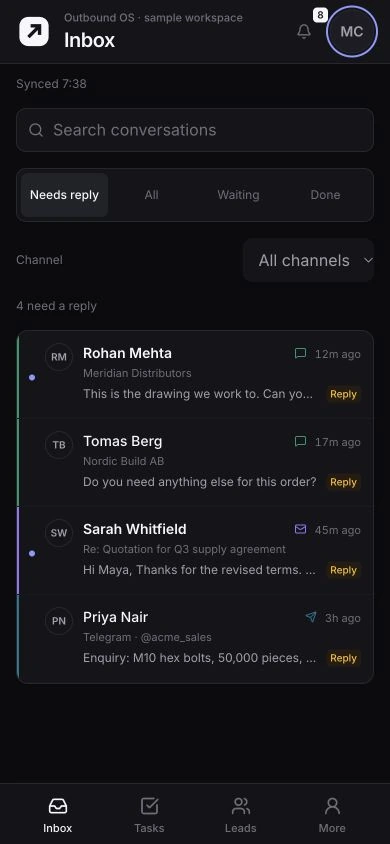
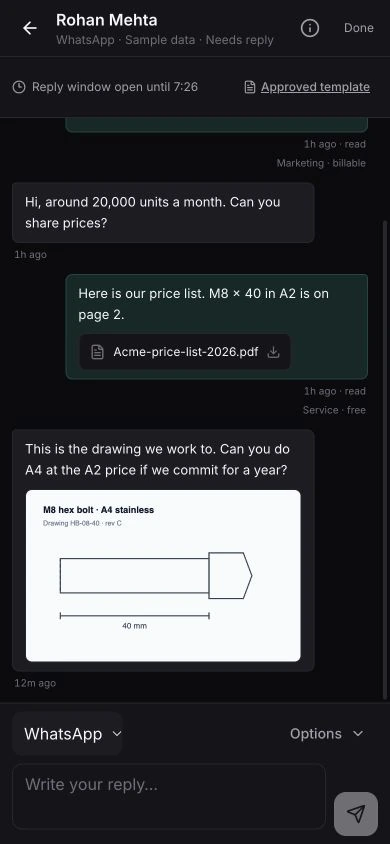
A focused sales workspace for the work that can’t wait. Read a reply, check the customer’s context and move the conversation forward.
- Start with what needs you. WhatsApp and email replies in one queue.
- Reply with the full picture. Message history, delivery status and the WhatsApp reply window.
- Keep the next step close. Follow-ups, leads and device notification settings.
FAQ
WhatsApp CRM questions
What is a WhatsApp CRM?
A WhatsApp CRM keeps every WhatsApp conversation on the customer record it belongs to, alongside their details, status, owner and other channels — so the team works from shared history instead of one person’s phone. A good one also sends the first message and the follow-ups for you.
Is there a free, open-source WhatsApp CRM?
Outbound OS is free and open source under the AGPL-3.0 license. You host it yourself with Docker; there are no seat or contact fees. WhatsApp itself is not free to send on: Meta charges for template messages, billed to your own WhatsApp Business account.
Can I use the normal WhatsApp Business app with a CRM?
Outbound OS connects to Meta’s official Cloud API; it does not automate the phone apps or connect by QR-code scraping. Check whether your existing number is eligible for your chosen Meta setup or needs a migration before moving it.
How much does WhatsApp messaging cost?
Meta messaging charges depend on message category, recipient country and applicable service-window rules. Use Meta’s current pricing page for your markets. Paid setup or hosting services are quoted separately.
Can several people share one WhatsApp number?
Yes. The number is connected once, and every teammate works the same inbox with their own login and role. Shared history, lead ownership and Done/Reopen help teammates coordinate. Ownership is not an exclusive conversation lock.
Can I connect more than one WhatsApp number?
Yes. Each number has its own Meta credentials, daily limit and first-contact template, and new leads are shared across the numbers that are ready to send.
Do I need a WhatsApp Business API provider?
You connect directly to Meta’s official Cloud API using your own business account and phone number. No intermediary provider subscription is required.
Keep reading
Ready to make it your own?
One Docker command starts the app, creates the database and your first admin. The setup wizard does the rest.
git clone https://github.com/thatsarpit/outbound-os.gitcd outbound-oscp .env.example .envdocker compose up -dOpen http://localhost:3001 and sign in